
MSFS 2020 Mods Used in My YouTube Channel
I share a complete list of all the Microsoft Flight Simulator 2020 mods featured on my YouTube channel.

Well, I blame James Hayden, the star of my Hayden’s World book series. In the stories, he’s an awesome pilot, and it’s hard to write about an awesome pilot without learning a thing or two about airplanes. What started out as curiosity evolved into hundreds of virtual flight hours in X-Plane and Microsoft Flight Simulator 2020.
Both X-Plane and Microsoft Flight Simulator have vibrant communities of talented fans who create both free and payware mods for the sims. Now that I’ve made over a hundred YouTube videos, it seems easier to list them all in one place so you don’t have to hunt and peck to find your favorite mod.
While you’re here, be sure to subscribe to my YouTube channel. If you enjoy sci-fi stories about pilots, why not grab the first story in the series, 43 Seconds, for free? It’s a fun short story that takes about twenty minutes to read, and is about a pilot willing to risk everything for a shot at the stars.
download MY TRACKIR PROFILE
SCENERY
PAYWARE
Orbx KSJC San Jose International
LatinVFR KBDL Bradley International
LatinVFR KMIA Miami International
FlightBeam Studios KPDX Portland International
Flightbeam Studios KIAD Washington Dulles
Flightbeam Studios KTEB Teterboro
Vertical Sims KPCM Plant City Municipal
Sierrasim KSYR Syracuse Hancock
FREEWARE
KBWI Baltimore/Washington International
MYNN Lynden Pindling International
KLGA and New York Bridge Improvements
AIRCRAFT
LIVERIES
A320
TBM 930
DA62
DA40NG
Diamond DA40 Explorer Liveries
C172
1956 Cessna C172 G1000 Classic
Cessna 172 60s and 70s Colour Palette
C152
JustFlight Piper Warrior II
P28A Warrior II Clean Livery Pack
JustFlight Piper Arrow IV
Turbo Arrow IV Clean Interior Mega Pack
Savage Cub
Cubcrafters XCub
Cessna 208B
Aerosoft CRJ700
GROUND VEHICLES
MODS & UTILITIES
JustFlight Piper Arrow 3 In-Game Checklists
More Interesting Weather Presets
MSFS 2020 Google Map Replacement
WEBSITES

Rock Your Wings
Flying the Fisk Approach with real-world air traffic controllers in a virtual Cessna 150.
Every year, thousands of aircraft fly to KOSH Wittman Regional in Oshkosh for AirVenture. The volume of aircraft is so high that the traditional rules of call-and-respond for ATC are changed for the event, with ATC spotting craft with binoculars and calling to them by their appearance, instructing them rock their wings if they hear their instruction. A special NOTAM (notice to airmen) is published for the event detailing the rules to arrive and the colored dot system on the runways which allows multiple aircraft to use a runway at the same time.
This year, the Oshkosh AirVenture was canceled, but the online ATC flight sim company, PilotEdge, partnered with the organizers to provide a virtual recreation of it. NATCA provided real-world air traffic controllers. The result was a week-long event during the Spirt of Aviation week with hundreds of virtual pilots flying the famous Fisk approach to Oshkosh. I was one of them. Fly along with me in the video, below.
Of course, all good things must come to an end, and I needed to fly back home. Getting out of Oshkosh was as much fun as getting in:

Flying the Virtual Skies in the Rift S
I take the red pill and dive into the matrix of X-Plane VR.
Earlier this year it was my birthday, and I considered a somewhat-pricey present: the Rift S virtual reality headset. My hesitation cycled through three questions: Could my Razer 15 handle it, would I use it for more than just for X-Plane, and, finally, would I really use it for X-Plane? While I waffled, it went out of stock globally, and remained out of stock for a few months.
Two weeks ago, the Rift S came back in stock briefly on the Oculus website. As my finger hovered over the buy button, the questions emerged. Fortunately, the fun side of my brain quickly subdued the thinking side by yelling, “You fool! While you’re waffling, someone else is buying the last headset.” So, I instantly clicked buy. Within two hours, the Rift S was out of stock once again. But I had mine. I almost giggled, as if I’d scoffed up the last Cabbage Patch Kid while a mob swarmed the toy aisle.
I’d experimented with X-Plane quasi-VR before using the iPhone app Ivry and a Google Cardboard headset. That setup gives three degrees of freedom tracking with a 3d image. That image hovers in front of your face, as if it were a miniature 3d tv, and, like 3d movies, you feel as though you are viewing a plane which has objects protruding from and into it. Your brain registers it as a 5” screen which has depth hovering a few inches in front of your face.
When I first put on the Rift S, its external cameras turned on and entered pass-through mode, showing me my desk overlaid with a 3d grid. Using the controller, I touched the floor, then traced a boundary for my play area. For a few seconds, my brain fizzled, wondering what I was seeing, because everything in my house was at 1:1 scale and exactly where it should be. So, you can imagine when the Oculus software overlaid the radial control panel in an arc where my actual keyboard was, it was there in my mind. When the WallE-style tutorial kicked in and enclosed me in a cluttered room with 90s video game consoles, the room replaced my physical room at the same scale. And this is perhaps the biggest difference with VR: scale. Things appear life-sized and encompass you. I had a moment where I turned around and saw the WallE room was indeed sealed up behind me. For my brain, I was now “in” the room. I felt like I’d stepped through the holodeck entrance, watched the entrance close and seamlessly fade into the scenery. I couldn’t wipe the grin off my face.

There are certain transformational technology leaps that you’ll always remember. The Atari logo appearing on your home tv’s screen when you first plugged in the 2600 wood-grained console. Whipping a bowling ball down an alley with a Wii controller and watching it hook and gutterball the same way it does when you throw a real bowling ball. Putting on a VR headset and tricking your brain that you’re inside the scene.
The first game I played with my entire family was Beat Saber. It’s a full-body experience with crouching, dodging, and slashing. I felt like a Jedi. The next game was Lone Echo, where you are weightless in a spaceship, grabbing and pushing off surfaces to navigate. Here the scale hit. The ship’s environments were huge. At one point, I came around a corner to collide with the other character who I didn’t realize was returning to the room. I nearly jumped out of my seat.

X-Plane took a fair amount of technical tweaking to get going. This is always true of X-Plane whether or not you’re using VR. Oculus has a feature called Asynchronous Space Warp which makes the head tracking perfectly smooth even if the scene is being rendered at lower frame rates. Scenes rendered anywhere from the low 20s to upper 40s for fps, but of course you could improve that by turning down details. Here’s the main things I noticed playing X-Plane in VR:
Scale - I cannot overstate what it’s like to see things full-sized surrounding you. You develop a certain mental model based on playing the game in 2D, and VR corrects it. I’d imagined cockpits as the size of my car’s dashboard, but nearly every one was smaller and more cramped. Looking outside the plane, wings were huge. I hadn’t realized just how big the prop is on an SR22, and the engines on my Piper Cheyenne were frighteningly large. When I flew over scenery, bridges were humongous.
Feeling movement - the first time I banked my plane into a standard left turn and looked over my left shoulder at the scenery, my stomach dropped out. I felt gravity shift and myself leaning. For fun, I followed that up with some stalls and spins. The sensations were crazy. Even when flying in a straight line I could feel the wind and tell you that it was pushing on the nose of the plane along a quartering angle. When you feel like you’re sitting in the place, you’re very in tune with how the plane is moving.
Resolution - the resolution is adequate for reading text. You can improve it, at the expense of fps, with supersampling. In 2d, I normally play on a 2k monitor. When you enlarge a 1080p image to the equivalent of a 55” monitor mounted a foot from your face, it’s going to look blocky. So, this is a downside compared to 2d.
Screen door effect - pixels do not seamlessly flow into other pixels on screens. There’s a little border around each. When magnified, the border shows up as a faint screen door effect. On the Rift S, it is present, but very mild. My brain tuned it out quickly.
Night scenes - I’m a bit spoiled by my iPhone X with an OLED screen, I remember how with my previous IPS screen iPhone, I could tell when it had turned on after a reboot when the black display suddenly turning dark gray. The Rift S is similar. Night scenes are okay, but it’s as if the contrast has been turned way down, with anything dark glowing as murky gray. There may be some more fiddling I can do to adjust this. I recall my 2k monitor also washed out night scenes until I got it set up correctly.
Hand controllers - the Rift S controllers are fantastic. Tracking is perfect, they have sensors to detect what your fingers are doing, and haptic feedback. X-Plane interactions are a bit wonky and have a learning curve. You expect you can press buttons with your extended finger or the controller tip, but both pass through objects. Instead, you squeeze the controller trigger and it fires a laser pointer. Depending on the target, you then may need to do a hand motion to move it. Dials, such as the heading bug, are intuitive and require you to rotate your wrist. Others pop up a gradient slider, which, depending on how the aircraft manufacturer coded it, is not always in the same orientation as the control (you may lift your hand up to slide a control forward). It’s considerably easier if you can reach the control and touch it with the controller. Using the laser pointer from a distance can be difficult, particularly with flip switches such as the battery or alternator. One of the odd quirks of 1:1 scale is that my play area is not the size of a Piper Arrow, so there are things I just can’t reach. Just about anything underneath the yoke is physically inside my real-life desk. For those, I’ve set up keyboard shortcuts. As an aside, I think the Rift S has the best controllers. The way they click when turning virtual knobs is very compelling, and grabbing a virtual pistol feels completely natural.
Motion sickness - I’ve had no motion sickness other than the intentional type (where I did several stalls and spins in a row and felt like I’d actually done them).
Field of view - Somewhat of a letdown. The FOV is 115 degrees, which is fairly standard for VR headsets. Much like looking through binoculars, your vision consists of two overlapping circles, surrounded by black. You do not see the edges of the rendered image; instead, you see the edges of the lens. Mentally you tune it out, but it’s a bit like viewing the world wearing a scuba mask. In games where you actually wear a mask or helmet, it blends well.
Realism - It’s hard to explain how much the airplanes feel like your own when they are 1:1 scale 3D objects. I had a moment sitting on my couch in the Piper Cheyenne where I looked over at the co-pilot seat, put my hand down, and touched the couch surface (which was at the same height as the Cheyenne seat). I put my controller on it and it sat there. Then I turned around and looked behind me. In real life, there is a wall. In VR, the passenger cabin extends back fifteen feet. My brain shorted out for a second. If my play area permitted, I could have stood up and walked around back there, greeting my virtual passengers.
Sound - comes 360 degrees from the VR headset’s headband. It’s pretty good - better than my laptop speakers - and gets loud enough that you’ll want to turn it down. Not nearly as rich as your own headphones, which you also have the option of using. There is also a decent built-in microphone. The only downside is that everyone in the room hears the speakers unless you use your own headphones.
Plugins - I only added three plugins to help with VR:
OVR Settings - lets you adjust supersampling and space warp on the fly, seeing the impact on an FPS counter
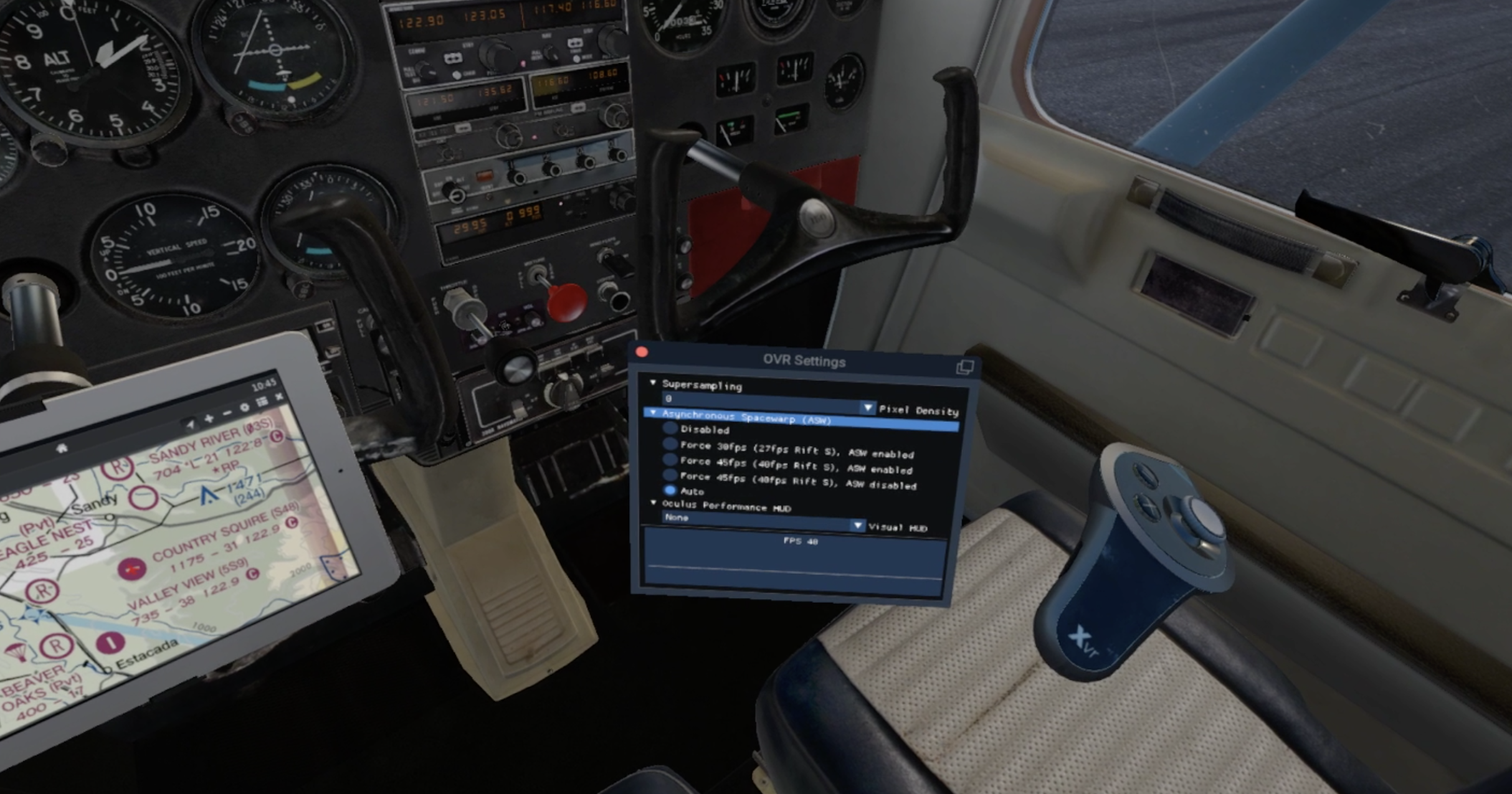
Move VR - this works both in VR and normal X-Plane, allowing you to drag external windows into X-Plane. You can view Skyvector, for example, in X-Plane. YouTube streamers often display their chats this way.

VR Tools - lets you easily edit your starting location in the cockpit and add new teleport spots, such as the co-pilot’s or passenger’s seats.

Not a plugin, but I downloaded Oculus Mirror, which creates a normal landscape image based on what your headset sees. Useful for recording/streaming so you don’t end up with the portrait-mode SteamVR image.
So, the verdict. Sometimes I’ll fly in VR, and sometimes in 2D. It depends on the type of flight. Hand-flying a GA aircraft through touch-and-goes is exponentially more awesome in VR. A long flight on autopilot where you want to take in all of the high-res scenery is better in 2D. As for other games besides X-Plane: they’re a blast! In a way, I sometimes prefer launching a game I purchased from the Oculus store, like Beat Saber, because it just works (compared to X-Plane, which requires tinkering). Games like Beat Saber and Lone Echo really only can be played in VR. Even Google Earth VR is a monumentally different experience in VR compared to what someone sees mirrored on the 2D screen (and it is an experience that will leave you grinning, as if you’re a guy in a Godzilla suit plodding through a scale model of a city).

I’m delighted with my purchase, and don’t know why I waffled for so long.

X-Plane KSNA John Wayne to L35 Big Bear City
Some amazing virtual scenery during my latest flight in the Cirrus SR22 from KSNA John Wayne to L35 Big Bear.
Waiting for Microsoft Flight Simulator 2020? You’d be surprised how good the visuals for X-Plane can look with just a few tweaks. Check out my latest flight in the SR22 from KSNA John Wayne to L35 Big Bear City.

X-Plane 07FA Ocean Reef to KEYW Key West
Well, I was in the mood for some Key Lime pie…
I get away from it all with a vacation flight from Key Largo to Key West.

X-Plane Airports
I share a few of the custom X-Plane airports featured on my YouTube channel.
Well, I blame James Hayden, the star of my Hayden’s World book series. In the stories, he’s an awesome pilot, and it’s hard to write about an awesome pilot without learning a thing or two about airplanes. What started out as curiosity evolved into hundreds of virtual flight hours in X-Plane. One of the brilliant things about X-Plane is that it is crowd-sourced. Its creators give you a free world editor called, not surprisingly, WorldEditor (or WED for short), and you can create your local airport or anyplace else in the world.
What started as a place to link flight videos for this blog grew into my YouTube channel. If you’ve been following it, you’ve seen me showcase some custom airport designs. I thought I’d create this page so that you could have them for yourself. These airports are designed to blend in with the Orbx TrueEarth series, and use libraries from that series to be seamless.
NOTE: I add zoom level 19 orthophotos as a base for my personal airports because Orbx orthophotos are ZL16 or ZL17 (depending on whether you purchase the SD or HD version of Orbx TrueEarth scenery). I do not have licensing to distribute orthophotos, however, so they are not included in the airport files. The screenshots show the airports with the orthophotos. With a little bit of elbow grease, WorldEditor, and Ortho4XP, you can add your own.
AIRPORTS
OREGON
4S9 MULINO STATE
Located south of Portland, Oregon, this untowered field is surrounded by lush green countryside.

Required Libraries:
3D People
CDB Library
FlyAgi Vegetation
Handy Objects
Mister X
NAPS
Open Scenery
RA Library
Orbx TrueEarth Oregon (Orbx_OrbixlibsXP)
S48 COUNTRY SQUIRE

Located southeast of Portland, Oregon, this untowered field is surrounded by lush green countryside and can be a challenge to find.
Required Libraries:
Handy Objects
Mister X
Open Scenery
Orbx TrueEarth Oregon (Orbx_OrbixlibsXP)
FLORIDA
07FA Ocean reef beach club
This private airfield is located south of Miami in Key Largo. A ninety-five mile flight west takes you to Key West.

Required Libraries:
CDB Library
Handy Objects
Mister X
Open Scenery
RA Library
RD Library
Orbx TrueEarth Florida (Orbx_OrbixlibsXP)
NEW JERSEY
N40 SKY MANOR
Located northeast of Philadelphia, this untowered field is surrounded by lush green countryside.
Required Libraries:
Handy Objects
Mister X
3D People
Open Scenery
JB Library
PPlibrary
Orbx TrueEarth (Orbx_OrbixlibsXP)

pennsylvania
kwbw wilkes-barre wyoming valley
Located near KAVP Wilkes-Barre Scranton International airport, this untowered field is surrounded by green mountains.
Required Libraries:
Handy Objects
CDB Library
Mister X
3D People
Open Scenery
JB Library
Segmented Circles

76n skyhaven
Located near KAVP Wilkes-Barre Scranton International airport, this untowered field is surrounded by green mountains.
Required Libraries:
Handy Objects
CDB Library
Mister X
3D People
Open Scenery
JB Library
Segmented Circles
Orbx TrueEarth (Orbx_OrbixlibsXP)

SKYCOLORS
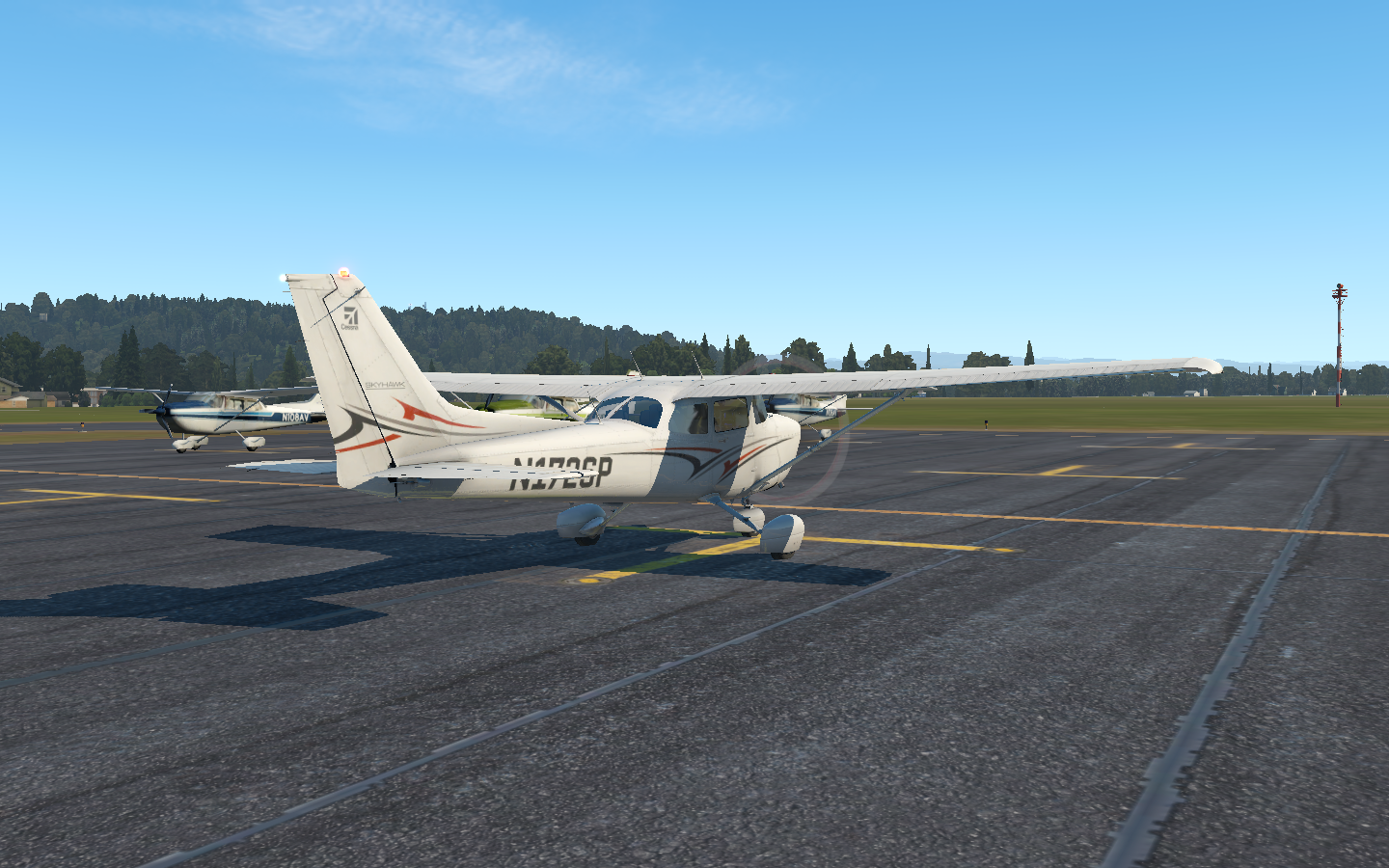
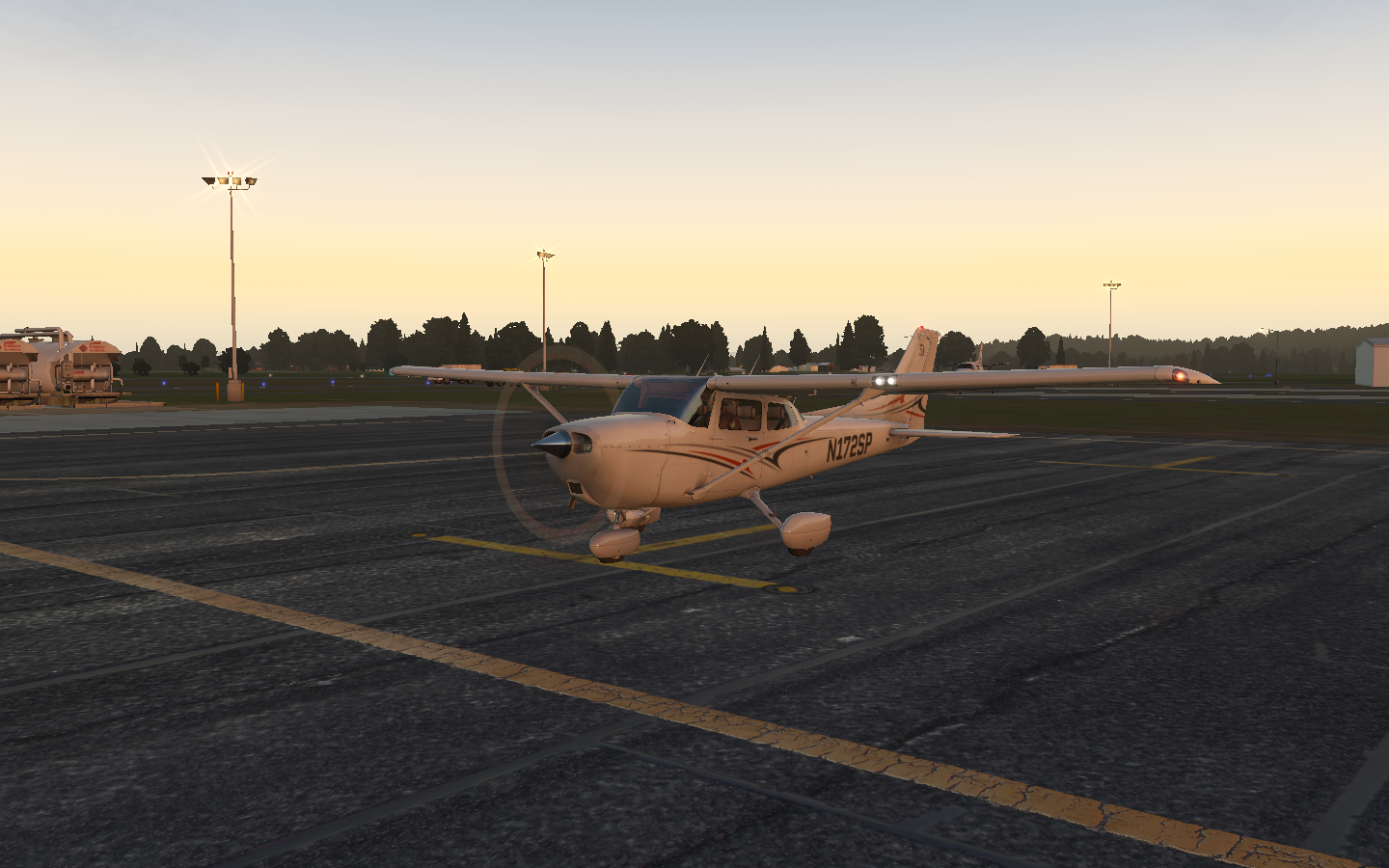
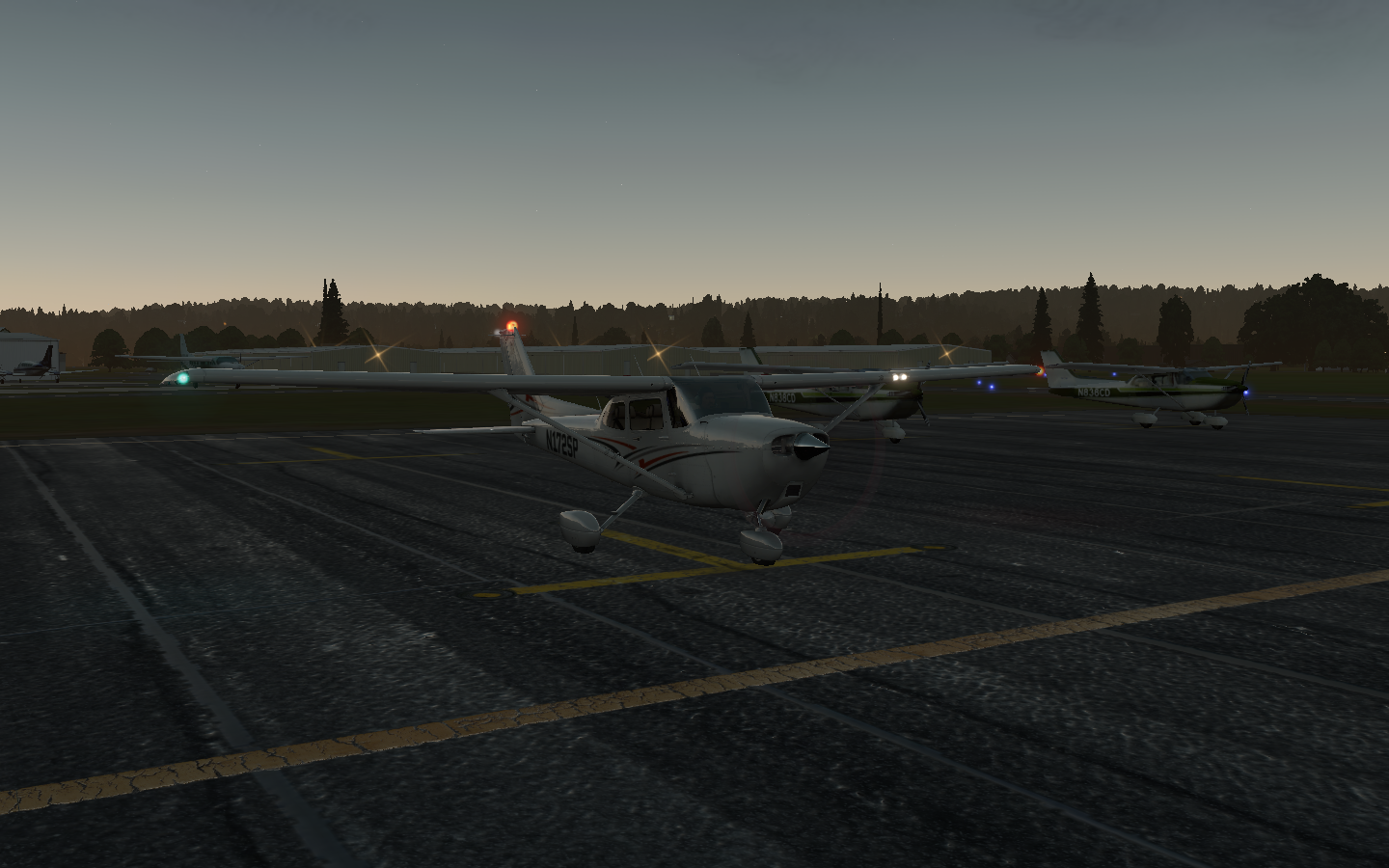
Sky colors are one of the easiest ways to transform the visual appearance of X-Plane. I prefer Vivid Sky for most of my colors, but I made my own file for clean skies using actual sky photographs.

X-Plane KBKV Brooksville to KTLH Tallahassee
I have a need for speed in the Piper PA31T Cheyenne.
Continuing on my Florida tour, I needed to cover a greater distance in a reasonable time, and this required more speed than my usual single piston engine planes could muster. This job required a turboprop. I took Just Flights PA31T Piper Cheyenne II for a spin. Starting it up properly, and hearing the turbines come up to speed was half the fun.

X-Plane: KEYW Key West to KMTH Marathon
Enjoy the Florida Keys in this VFR X-Plane flight.
Enjoy a slice of key lime pie as you fly along over Orbx True Earth Florida from Key West to Marathon in the Piper Tomahawk.

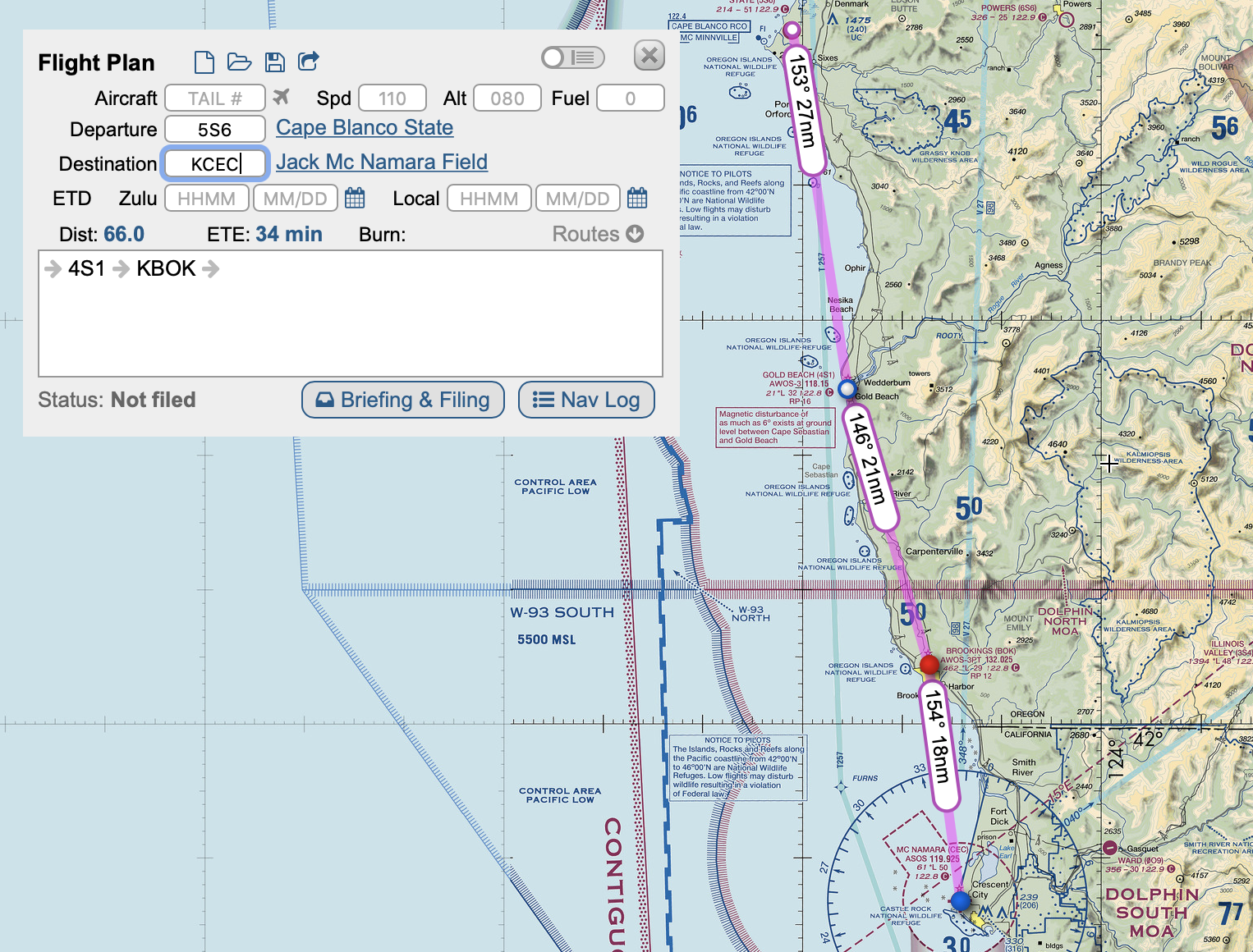
X-Plane: 5S6 Cape Blanco State to KCEC Crescent City
Ride along on a scenic VFR coastal flight in X-Plane from Cape Blanco State to Crescent City.
I took the Piper Arrow on a coastal flight from Oregon to California, flying from 5S6 Cape Blanco State to KCEC Crescent City. Check out the flight on my YouTube Channel.
X-Plane: Paine Field to Tacoma Narrows
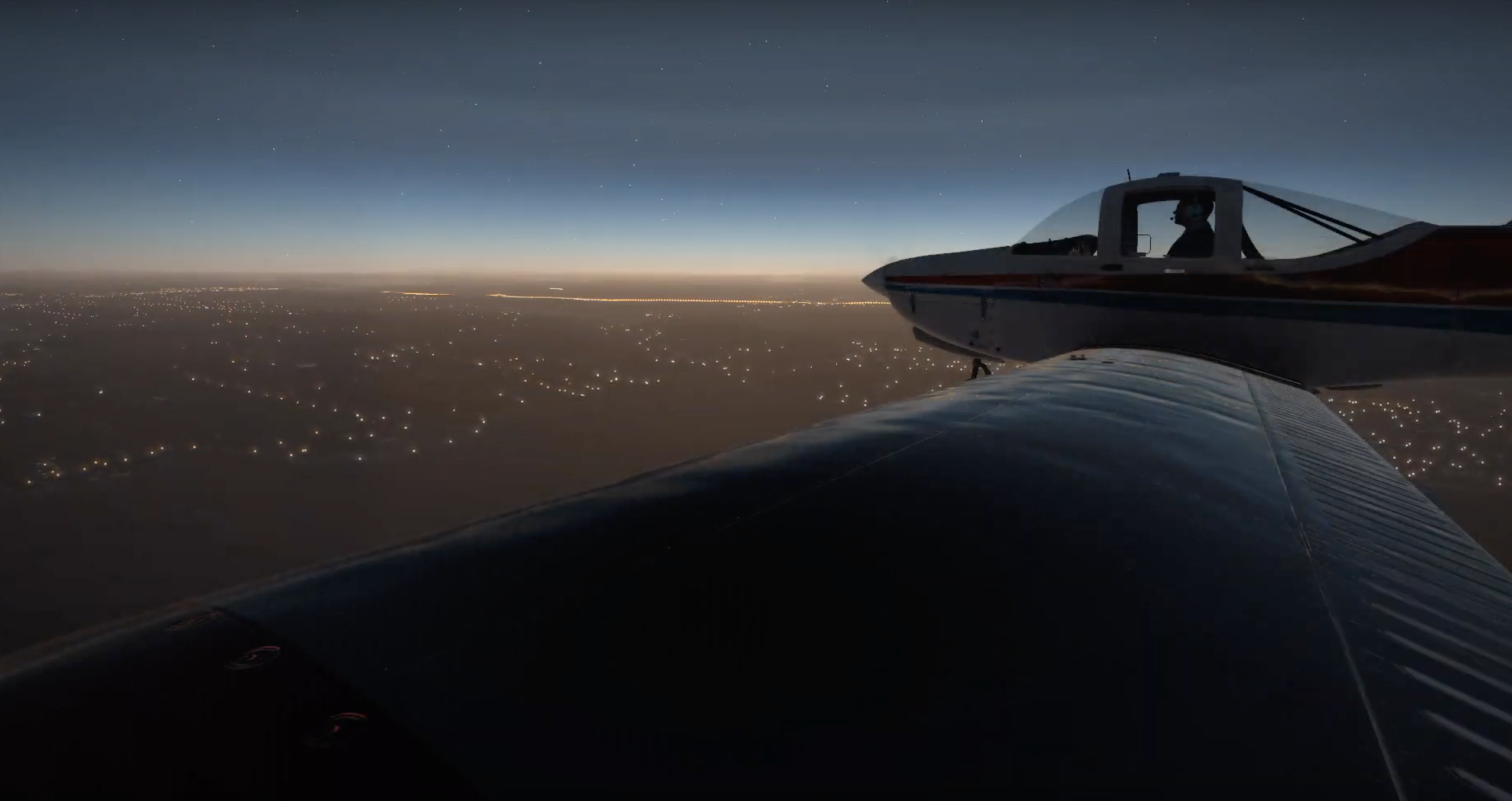
Atomic turbines to power! I show off my new PC and graphics card with a twilight X-Plane flight around Seattle.
Now that I have a new PC with a nice graphics card, I have to put it through its paces. I took m PA38 Tomahawk on a twilight flight from KPAE Paine Field to KTIW Tacoma Narrows. Check out the flight on my YouTube Channel:

X-Plane: Tacoma Narrows Pattern Work
I fly a few laps around Orbx’s excellent KTIW Tacoma Narrows in Washington.
In my post A Rookie’s Guide to Starting on PilotEdge, I talk about flying a standard traffic pattern. Real-life pilots-in-training need to learn to fly this aerial traffic circle around airports, so as a virtual pilot I decided to practice the same maneuver, doing a touch-and-go (where you start to land, but take off again) and a landing at Orbx’s new payware scenery KTIW Tacoma Narrows. I get nice views of the famous Tacoma Narrows Bridge along the way, which is the bridge that twisted and turned in the wind in the 40s, tearing itself apart.

Check out the video of my flight here:

A Rookie's Guide to Starting on PilotEdge
For those aspiring virtual pilots who want to try flying with online ATC, I pen a primer to help get you started.
I think most people who use X-Plane go through an evolution where they launch flights directly from the runway with engines running, then they’ll want to try starting their plane up from cold and dark, and eventually, they want to fly procedures and do things by the book.

Gauges. So many gauges.
When I signed up for the online ATC network, PilotEdge, I became aware I’d need to at least somewhat learn how to do things by the book. It was a bit intimidating. Even a basic thing like how to fly a traffic pattern is confusing if you’ve never done it before, let alone what to say to ATC when departing a towered airport.
So, after a few months, I’m still a rookie on PilotEdge, but I thought I’d write a post summarizing a few things I figured out along the way. This is intended for people like me who didn’t have previous aviation knowledge or experience with online ATC like VATSIM.
MOSTLY UNNECESSARY DISCLAIMER: I’m just a guy playing a video game. Don’t take any of this as real-world aviation advice. It’d be like taking medical advice from someone who’s played a lot of Surgeon Simulator.
Basics:
For PilotEdge, you need a headset with a mic (don’t be the guy using his laptop’s built-in mic who sounds like he’s underwater while watching Grey’s Anatomy).
When you connect to the network, your aircraft needs to be parked on a ramp.
Your callsign (configured in the PilotEdge settings) must follow FAA guidelines
Most people use real weather, but it’s not a requirement.
You only have to talk to ATC if you’re flying somewhere where you have to talk to ATC.
Tips:
PilotEdge has a rating program for both VFR and IFR pilots. It’s a good way to learn the ropes.
PilotEdge also has free video workshops covering the basics.
Things to know before starting (if you want to fly VFR):
You should know how to read a VFR map, fly a traffic pattern, and make CTAF calls.
Reading a VFR Map:
Go to Skyvector to view VFR maps. Airspaces are color-coded with magenta or blue lines.

Class B Airspace: Thick solid blue lines. To enter this airspace, you need to be talking to ATC and hear the magic words, “Cleared to enter the Bravo airspace”

Class C Airspace: Thick solid magenta lines. To enter this airspace, you need to be talking to ATC and they need to use your callsign in their response.

Class D Airspace: Thin dashed blue lines: To enter this airspace, you need to be talking to ATC and they have to use your callsign in their response
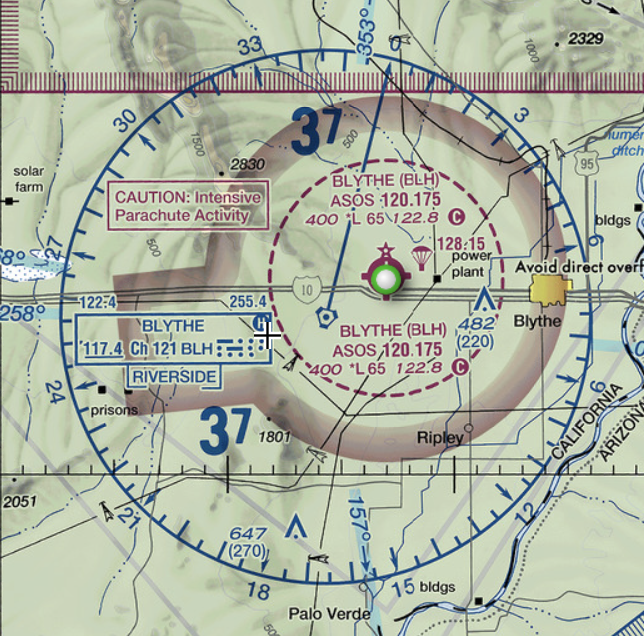
Class E Airspace: Most of the time, Class E airspace exists between 1200 feet AGL and 18,000 feet MSL. Sometimes it starts lower, in which cases it’s marked on the map as either a thin dashed magenta line (indicating starting at surface), or magenta gradients (indicating starting at 700 feet AGL). Class E is controlled airspace (that exists for IFR flight), and you do not have to talk to ATC when flying VFR. When it does start lower than 1200 feet AGL, it is to protect for an instrument approach at a nearby field.

TRSA (Terminal Radar Services Area) - Thick solid gray lines. Optional radar services are provided in this area. Pilots are encouraged, but not required, to use these services.

Restriced: Hashed blue lines, usually around military areas. You need permission to enter.
MOA (military operations area): Hashed magenta lines. You are not required to talk to ATC to enter, but it’s generally a good idea to do so, especially if the MOA is active. Each MOA has a name, such as “Abel North MOA”, and you can find its schedule printed in the margins of the VFR chart.

Towered airport - blue solid circle or blue solid runway lines. Lines show number of runways and approximate orientation. The star indicates it has a beacon, the squares sticking out indicate fuel services available.

Non-towered airport - magenta solid circle. The number next to the C that looks like the copyright symbol is the CTAF frequency. In this case, it’s 122.8. Beneath it, “RP 26” indicates Runway 26 uses Right Pattern traffic. “*L” means it is lighted, but the asterisk indicates with limitations (for example, the pilot may need to activate the lights with his radio). The 2222 is the field elevation. The bolded 134.625 is the weather frequency. The red flag indicates this spot is a VFR visual reporting point that can be used to tell ATC where you are located.
Not depicted on sectionals:
Class A Airspace: IFR only, extending from 18,000 feet MSL to 60,000 feet MSL. The realm of jetliners.
Class G Airspace: The only uncontrolled airspace, usually between the surface and wherever Class E starts (usually 1200 feet AGL). No ATC or radar services in Class G. In some remote parts of the US where there is no ATC, Class G may be specifically called out on the sectional as a blue gradient, in which case it extends from the surface up to 14,500 feet MSL. You’re on your own in Class G.
Airspaces are divided into shelves which begin and end at different altitudes. Inside each shelf, you will find two numbers which look like a fraction printed in the same color as the airspace lines. The top number is the top of airspace, in hundreds of feet, and the bottom number is the bottom of the airspace:

“40/SFC” means the inner ring extends from the surface to 4000 feet. “40/15” means the outer ring extends from 1500 feet to 4000 feet. If you fly above or below these numbers, you are not in the airspace. So, if you flew over Santa Barbara at 6000 feet, you would not need talk to ATC because you are not within Santa Barbara’s airspace.

Smaller airports may only have one shelf. Instead of a fraction, the shelf height is written as a number in a dashed square. The “28” in the dashed square means the airspace extends from surface to 2800 feet.
FLY A TRAFFIC PATTERN
This one was a bit of a mystery to me initially, but it’s straightforward:
The pattern is like a traffic circle, except it’s a rectangle. Planes enter and exit at a set location. It defaults to 1000 feet above ground or the traffic pattern altitude listed on the airport’s chart. The four legs of the rectangle are:
Downwind - runs parallel to the runway 1/2 mile away, flying with the wind. For low-wing aircraft, a rule of thumb is that the tip of the wing should visually just touch the runway when you look out the plane’s window. For high-wing aircraft, the runway should visually appear half-way up the wing strut. Typically you begin to descent in the downwind once you are abeam your touchdown point.
Base - when flying the downwind, you should turn 90 degrees onto the base leg when the runway is over your shoulder along a 45-degree line. You continue the descent started in the downwind all throughout the base leg.
Final or Upwind - you should always land flying into the wind (upwind, or with a headwind). This is because with a tailwind your plane will have to travel faster (relative to the ground) to generate the same lift compared to flying into a headwind. In other words, you’ll have to land at a higher ground speed and take more runway to stop. If you are flying on the runway’s extended centerline you are on Final. If you are flying parallel and offset to the runway (usually intending to go around the runway and not land) you are on the Upwind. When you turn base to final, typically you are 500 feet above the ground.
Crosswind - when you are between 500 - 700 feet above ground, you can turn 90 degrees onto the crosswind leg. You would then continue climbing to pattern altitude. When the runway is along a line 45 degrees behind you, you turn onto the Downwind.
The pattern is either clockwise (right traffic) or counterclockwise (left traffic). For left traffic, you make all left turns; for right, all right turns. This is usually published on the airport chart. Many airports also have a segmented circle on the ground which shows the pattern direction, usually with a windsock in its center.
For non-towered airports, planes should enter the pattern level on the downwind along a 45 degree angle. This gives them the best visibility to see planes already in the pattern; however, in reality planes may enter any leg of the pattern, including the upwind, if it makes more sense due to direction of travel or terrain.
For non-towered airports, it is recommended planes depart straight out or on a 45 degree, but in reality planes may depart any leg of the pattern based upon what makes sense for direction of travel.
Arriving/Departing Non-Towered Airports
The runway number is roughly the heading of the runway, minus the zero. Runway 18 is along magnetic heading 180.
When you get the weather for an airport, it will give you the direction the wind is coming from. Ideally, you’d like to landing flying into the wind, so you try to match the wind direction to the closet runway heading. If the wind is coming from heading 240, then you’d like to land on runway 24, or the nearest number to 24. The same rule is true for choosing a runway for take off. If there’s no wind, refer to the airport plate to see if there is a preferred runway, or see which runway everyone else is using.
When arriving, generally you’ll descend to pattern altitude, enter the downwind on a 45 degree, turn base, turn final, and land.
When departing, generally you’ll fly straight out and climb to 500 feet above pattern altitude, then turn to your desired heading and continue climbing to cruise altitude.
Arriving/Departing Towered Airports
You must talk with ATC prior to entering the airspace of a towered airport. More on that later.
If flying to a towered airport, ATC will give you instructions based on what makes sense for the direction you’re arriving. They may have you fly straight in or enter any segment of the pattern. Don’t automatically enter the downwind on a 45 degree. For towered airports, you enter the pattern where they tell you.
When leaving a towered airport, you’ll follow ATC instructions. Similar to arrival, ATC may have you depart from a specific leg of the pattern or along a specific heading.
If they give you no instructions, then you’ll probably depart the same way you would from a non-towered airport. In that case, you have no restrictions and are free to fly per the normal VFR rules.
NEXT: Making CTAF Calls
When approaching a non-towered airport, you self-broadcast your intentions on a common frequency, called CTAF, which you get from the VFR sectional or airport chart.
It’s kind of like using a blinker in a car. Imagine if, instead of using your blinker, you rolled down your car window and yelled, “LA traffic, Nissan Rogue, turning left!”. That’s pretty much what a CTAF call is.
The format is easy: “(airport name) traffic, (callsign), (what I’m going to do), (airport name)”
An example is “Banning traffic, November Three Five Niner Golf Charlie, entering left downwind runway eight, Banning.”
The calls you’ll probably make are:
Taxiing to the runway: “Banning traffic, November Three Five Niner Golf Charlie, taxi runway eight, Banning.”
Taking off: “Banning traffic, November Three Five Niner Golf Charlie, departing runway eight, straight out departure, climbing three thousand five hundred, Banning.”
10 Miles from Destination “Banning traffic, November Three Five Niner Golf Charlie, ten miles south at three thousand five hundred, entering left downwind, runway eight, full stop, Banning.”
Entering the Downwind: “Banning traffic, November Three Five Niner Golf Charlie, entering left downwind, runway eight, full stop, Banning.”
Turning Base: “Banning traffic, November Three Five Niner Golf Charlie, turning base, runway eight, full stop, Banning.”
Turning Final: “Banning traffic, November Three Five Niner Golf Charlie, final, runway eight, full stop, Banning.”
Clear of Runway after Landing: “Banning traffic, November Three Five Niner Golf Charlie, clear, runway eight, Banning.”
CTAF calls are only for CTAF frequencies. Do not make CTAF calls when on ATC frequencies.
NEXT: Talking with ATC to Depart a Towered Airport:
First, it helps to understand the sequence of frequencies at a towered airport. In order:
Clearance Delivery: Used for IFR clearance and VFR departure at some larger airports. The airport’s ATIS will give you directions if VFR departures need to contact clearance delivery.
Depending on what you’re doing, you may get restrictions, a departure frequency, and squawk code. They will be in this format:
On departure fly heading…
Maintain VFR at or below…
Departure frequency…
Squawk…
You will need to read back all of that, so have it written down.
Ground: If you want to use a taxiway or runway, you need permission from Ground.
Before you contact Ground, get the weather by tuning to the airport’s ATIS or AWOS. It’s updated hourly and there’s a phonetic letter code that identifies it. Write down the code.
For a basic VFR departure: “(airport) Ground, (callsign), (location in the airport), (departure direction), taxi with (weather code information)”
Example: “John Wayne Ground, November Three Five Niner Golf Charlie, east ramp, west departure, taxi with kilo.”
The ground controller will respond with a runway and directions to get there: “Runway 20 Left at kilo, taxi via alpha, hotel, charlie.”
You then repeat back the instructions.
Depending on what you’re doing, you may get restrictions/departure frequency/squawk code at this point (if Ground is the first person you’re talking to)
Tower: When you taxi, it will usually be to the hold short lines for a specific runway. At that point, you switch to Tower frequency. You can switch on your own without Ground telling you to. “Tower, November three five niner golf charlie, holding short, runway 20 left at kilo.”
At this point, tower will likely clear you for takeoff. “Runway 20 left at kilo, cleared for takeoff.” You may also get departure directions, such as “Left downwind departure approved”, which means you would take off, turn crosswind, turn downwind, and continue on the downwind heading climbing to cruise altitude (or the altitude restriction you were given)
DO NOT SWITCH OFF THE TOWER FREQUENCY UNTIL INSTRUCTED BY TOWER TO DO SO.
If you will continue to have radar services once you leave tower’s airspace (if you have requested flight following), or for larger airports which have Departure manage their outer airspace rings, tower will tell you to change frequencies to Departure. You’d respond with “Over to departure” and change frequencies.
If you will not have radar services after leaving tower’s airspace, you probably won’t hear from Tower again. Once clear of their airspace, you can change frequencies on your own.
Talking with ATC to Land at a Towered Airport
For a small Class D airport, this is simple:
Get the airport weather before making the call
Contact Tower before entering the airspace: “San Luis Tower, November Three Fine Niner Golf Charlie, twelve miles east, full stop landing with kilo.”
Tower will then issue instructions, usually giving you a report location (“report three-mile final”). When you report, you will be given a landing clearance.
For larger airports that have inner and outer rings to their airspace, you would typically call Approach first. Approach manages the outer ring and the surrounding area, while Tower manages the inner ring. You can get Approach frequencies from the airport’s diagram.
COMMON MISTAKES ON PILOTEDGE
You’ll find the controllers on PE are helpful and give you tips when you make mistakes. There are a few common mistakes that you’ll hear over comms:
Switching from Tower to Departure on your own (You must stay on frequency until told to switch)
Not realizing you need permission to taxi at a towered airport. (Contact Ground for permission to taxi)
Having a callsign with O or I, which is not a valid FAA callsign.
Confusing right/left instructions, such as entering a right base when told to enter a left base.
Not knowing where you’re at in the airport or being vague when calling Ground. Some large airports may have multiple transient parking locations and seprate east/west ramps, so just saying transient parking may not be enough.
Not having the weather before contacting ATC.
Not giving another pilot a chance to read back ATC instructions before you broadcast your request.
PILOTEDGE QUIRKS:
Usually, there are only one or two controllers covering all of the areas. So, even though you change frequencies, it will be the same person.
If you are tuned to any frequency where you can hear a controller, you’ll hear everything they say on all frequencies. This is to help you avoid stepping on transmissions you can’t hear. So, if you hear them give a long clearance, you should know that someone has to read all of that back and you should wait before speaking.
At peak times, the number of online pilots is in the twenties. You probably will not encounter another player unless you are at a popular large airport, like KSNA John Wayne. PilotEdge also publishes focus fields each week, which encourages pilots to congregate at a specific field.
PilotEdge has drones, which are NPC AI aircraft flying routes a bit like World Traffic. Like World Traffic, they are oblivious to your presence, and will land on top of you. Their many purpose is to give you and ATC targets to look out for, when looking for traffic.
Phew! Okay, that was a lot of info. And that’s just VFR flying. I didn’t touch on VFR with flight following or IFR. Hope this helps, and see you on PilotEdge.
While you’re here, be sure to subscribe to my YouTube channel for fun flight sim adventures.
When I’m not flying the virtual skies, I’m the sci-fi author of the Hayden’s World series. If you love exploration and adventure, be sure to check it out.

PilotEdge Flight: KSNA to KAVX
I take the Piper Archer out for a PilotEdge flight with flight following from KSNA John Wayne.
This weekend I rolled the Piper Archer out of its hangar and did a VFR flight with flight following out of KSNA John Wayne, which is in Class C airspace, to KAVX Catalina, a non-towered airport on an island off the west coast of California. KSNA is popular on PilotEdge, and two other player pilots, a Piper Warrior and Cessna Skyhawk, were also leaving the airport at the same time. I listened to them on ground communications as I watched them taxi, then I was up.
If you enjoy X-Plane (or other popular flight simulators liked Prepar3D or Microsoft Flight Simulator), PilotEdge greatly ups the immersion by adding professional ATC and other pilots. I find I do a lot of planning for a flight on PilotEdge. If you join, it’s up to you how much interaction you want. You can fly between non-towered airports and not talk with ATC at all, or fly into LAX and get the full experience of entering a Bravo. In my case, I like flying small general aviation craft like the Archer, and flying VFR, so flight following (ATC providing advisories of other traffic) gave me some fun interaction. Plus, just getting out of a Class C airport involved following ground instructions and departure restrictions. Check out the condensed version of the flight here:

Beach Hopping
What’s the point of owning a virtual airplane fleet if you can’t hop in one and head to the beach?
I’ve been alternating XPlane flights between PilotEdge, which covers southern California, and my home area, which is near the east coast. A bit of a revelation was that I could stream live ATC in my home area and use plugins like LiveTraffic, to up the level of immersion. It is really fun to fly around your local area while listening to live ATC. If you’re running with live weather and time, you can even hear pilots reacting to weather and getting vectored around it.
Usually I record my flights with a running commentary and post them to my Facebook page. The more interesting ones may get a blog post here.
This past week beach fever hit, and I realized how much I need a vacation. I hopped into my virtual planes and mapped some beach jaunts to some of my favorite locations. Like all of my flights, things don’t always go as planned.
My first hiccup was when the engine of my Piper Archer shut down at 4500 feet, forcing me to think on my feet. To my credit, time from propellor stopped to issue resolved was 23 seconds. I imagine in real life I would not have been as calm.
Afterwards, I went back and recreated the situation, seeing if I could have glided the plane the safety. I learned a lot about glide ratios from that exercise. Nearly straight ahead I could see an airport at 7.6 nm, which seemed ideal. Every time I tried I came up short and crashed into trees a half mile from the runway. The thing that messed up my mental arithmetic was that I was traveling so much more slowly than normal - 59 knots. So, while it seemed I could make it from my altitude, the plane just wasn’t moving forward enough. The winning solution was a small airstrip 4.5 nm behind me.
Later, I flew my Piper Navajo from Ocean City north along the coast, listening to Atlantic City traffic at sunset. This was much smoother and I really enjoyed flying the Navajo.
If you enjoy virtual flights, be sure to visit my Facebook page for more videos, or check out some of my other blog posts on this site. I suspect we’ve all got a little bit of James Hayden in us, and mine loves to get behind the yoke whenever he can.

Catch Me if You Can
My first flight with ATC on PilotEdge was intended to be simple, but when I accidentally request flight following from Palm Springs International I get a little more than I planned.
MOSTLY UNNECESSARY DISCLAIMER: I’m just a guy playing a video game. Don’t use anything I say as actual aviation advice.
Like many things, it all started with James Hayden.
When I first wrote 43 Seconds, I wanted an authentic ATC exchange between James and the airport, so I researched air traffic control dialogue. It’s easy to find channels streaming ATC exchanges on YouTube. If you listen to them, they’ll sound like a foreign language spoken much too quickly, and you’ll wonder how anyone understands what’s going on.
This seemingly innocuous research started a daisy-chain of events which led to me not only wanting to understand the secret code of ATC but also how flights worked. Next thing you know, I wanted to know what all the gauges and buttons did on an airplane. Soon I was landing my own virtual planes in XPlane, and not long after that I found myself on PilotEdge, virtually flying with other simmers and actual pilots in a real-as-it-gets environment with authentic air traffic control.
PilotEdge raised the bar. I actually needed to know the correct procedures and how to fly them. If an air traffic controller instructs you to “enter the left downwind for runway two-six and report midfield” then you will need to know what and where the downwind is, how to fly there, where midfield is, and what to say when you get there.
I’ve been flying between non-towered airports, which doesn’t involve interacting with ATC but does require making CTAF (common traffic advisory frequency) calls to other pilots. There’s a lingo and standard for this as well, and knowing what the say and where to say it is a challenge.
Feeling confident in my CTAF skills, yesterday I was ready to step up to the next level and depart from a towered airport. One of my favorite flight areas is near Palm Springs, so I chose Palm Springs International Airport. Out of the towered airports, it’s the lowest class - Class D - and the nearby Jacqueline Cochran airport is non-towered airport in Class E airspace.

Palm Springs on the left with a blue ring around it.. The ring is actually dashed, signifying that it is in Class D airspace (the ring looks solid because it overlays another color). Jacqueline Cochran is on the right, surrounded by a dashed magenta ring, indicating Class E airspace. The entire area is surrounded by both a shaded magenta block and also a gray line, indicating Class E airspace and also a TRSA (terminal radar service area). The TRSA will unknowingly come into play in my flight. Confusing, yes.
If all of that is mumbo-jumbo, just know that for VFR pilots Class B, C, and D airspace requires talking to ATC, while class E does not. So, in theory, to fly out of Class D Palm Springs I would need to do the following:
Contact the ground controller and tell him I’d like to fly VFR south to Jacqueline Cochran. VFR = visual flight rules which means I’m be using my eyeballs, much like driving a car, and not relying on ATC to give me explicit navigation instructions. The Ground Controller will pick a runway for me and tell me how to get there. They may also give me departure instructions (what direction to fly once I take off).
Contact the tower when I’m ready to go on the runway. They’ll let me know it’s safe to take off. They may give me instructions until I”m out of Palm Springs airspace, to keep me from bumping into other airplanes.
After that I’d be on my own, flying merrily to Jacqueline Cochran, and only on the radio to make CTAF calls as I get near. CTAF calls are basically saying, “To anyone listening, another plane in the area. Here’s where I am and what I’m going to do.” It’s the equivalent of using a blinker on your car.
I recently rewatched the movie “(500) Days of Summer”. In it, there’s an expectations versus reality split screen scene.

My Palm Springs flight would make a nice montage in this format.
The first divergence came when I tuned into Palm Spring’s automated weather service. I knew the Ground Controller would ask for the code word which was part of the weather message to verify I’d listened to it. Normally, XPlane generates a Siri-like weather message based on real-life weather data (“winds out of 330 at 6 knots, skies clear”). At a real airport, however, this message is recorded by a person and has lots of info in it - which runways are in use, any hazards, special instructions, etc. To add this extra level of detail, PilotEdge records its own weather message for ATC airports. So, when i listen to Palm Springs, it has a special instruction - “VFR flights contact Clearance Delivery”.
I wasn’t expecting to talk with Clearance for my simple VFR flight. When I contact them, and tell them I’m flying VFR, I’m surprised to get a squawk code assigned. Normally, I “squawk VFR” which means my transponder transmits the code 1200, indicating I’m flying VFR and generally not communicating with ATC. Instead, now I have a unique code identifying my aircraft so they can track me. They also give me the SOCAL Departure frequency.
Okay, we’re starting to get deep, now. It’s another guy I wasn’t planning on talking to. In my mind, once I was clear of Palm Springs Tower’s area of concern (the dotted blue circle around the airport on the map above indicating its Class D airspace), I was on my way in Class E airspace, squawking VFR, flying on my own. Now I’ve got a handoff from the tower to SOCAL Departure which manages the airspace outside the tower’s control.
This was my first time doing this, so the gears were turning a little more slowly in my head than they should have. I think okay, let’s roll with it.
After talking with Clearance and Ground and Tower, off I go into the wild blue yonder, flying runway heading. And I keep flying runway heading, because ATC doesn’t tell me to do anything else. When I’m fairly far north, SOCAL tells me to resume own navigation, which is my cue to steer the airplane where I want it. I do a one-eighty and head back south to Jacqueline Cochran, avoiding the Palm Springs airspace.
Unbeknownst to me, as far as I can tell in hindsight, my call to Clearance Delivery was interpreted as a request for Flight Following, with SOCAL keeping an eye on me while I was in the TRSA (terminal radar service area) and providing traffic advisories while on route.
Fast forward to my approach to Jacqueline Cochran when I’m getting ready to make my CTAF call, thinking I’m alone in the sky, when you can imagine my surprise to hear SOCAL hail my tail number on my second radio (which was still monitoring SOCAL Departure frequency) and ask if I had the weather for the destination airport. Afterwards they tell me “radar services terminated, resume own navigation, squawk VFR.” At which point I think, wait - I had radar services this entire time? Oops.
It’s interesting just how nervous I was from this pretend experience. I think, in part, it’s because I know that many of the other people on PilotEdge are actual real-life pilots, and some of the ATC controllers are actual retired ATC controllers. I felt like Leonardo DiCaprio in “Catch Me If You Can”, learning the lingo to try and convince everyone I was an authentic pilot.

So, it was an awesome experience. I made some mistakes, but still managed to get my plane from point A to point B, and, as odd as it may seem to say about a video game, had a sense of accomplishment from doing it. You can watch an edited-for-time version of the flight here:

PilotEdge Flight - Chiriaco Summit to Bermuda Dunes
A fly another VFR route on PIlotEdge from Chiriaco Summit to Bermuda Dunes, and make a few mistakes along the way.
Continuing on my with PilotEdge tour, I did a VFR flight from L77 Chiriaco Summit to KUDD Bermuda Dunes. I’ve been working on L77 using Laminar’s free World Editor, which allows users to create their own airports. It’s a fun little airport next to Interstate 10 in California, and you can visually follow the interstate northwest to several airports. It’s fun to fly in X-Plane the way an actual VFR pilot would fly - using my eyeballs to visually navigate, instead of just plotting a direct course in a GPS. For a change,
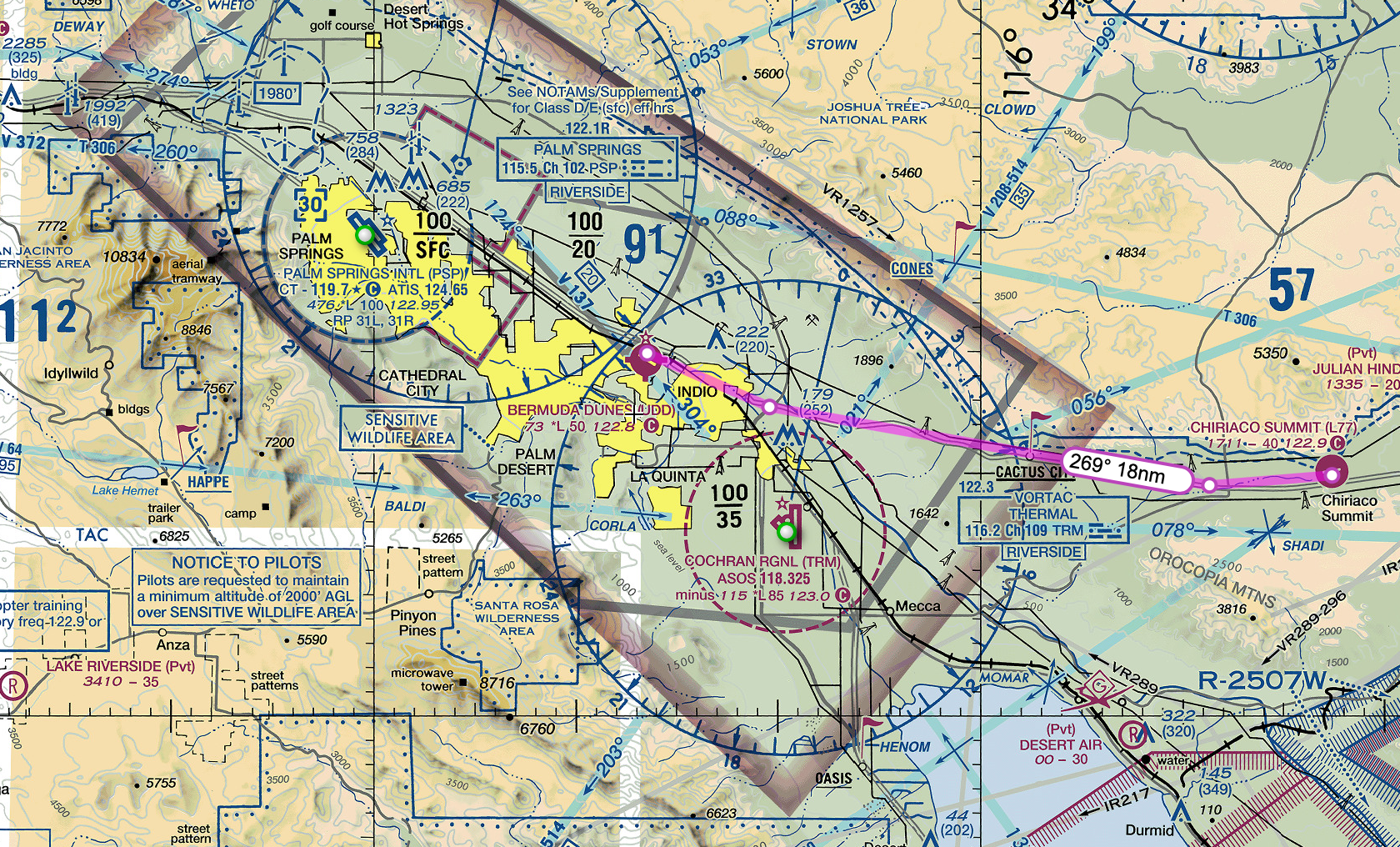
I flew the Cessna 172 Skyhawk, which I customized with Hayden-Pratt colors.

All went well until a series of small mistakes at my destination lead to some flustering. It’s interesting when flying on PilotEdge because you’re not supposed to pause the simulator, so when things happen you quickly find yourself frazzled that you’re trying to maintain control of the plane while sorting things out. When flying solo on X-Plane, it’s easy and tempting to pause things while you fix settings on your navigation, for example, but in PilotEdge you have to work it out on the go. Just like real life.
Here’s the shortened version of my flight, with my narration. Enjoy!

PilotEdge Flight - Sun Valley to Havasu City
I virtually fly from Sun Valley to Havasu City on the PilotEdge network. During my flight, someone gets a lecture from ATC.
After my free two-week trial completed, I purchased a subscription to the ZLA area of PilotEdge. If you’re not familiar with PilotEdge, it’s a service which links ATC controllers with flight simulators, providing a multi-player environment to fly your virtual plane. The paid controllers are trained in actual procedures and ATC communication and will hold you to the correct standards. Other virtual pilots broadcast on comms even when visiting non-towered airports, just like real life. Hearing all of the human comm chatter over the radio is a game-changer for immersion. More importantly, I feel like I’m learning something.
I’ve been working my way up through their training system, starting simple with non-towered to non-towered flights. Even without direct ATC interaction, there’s still plenty of radio work announcing my positions to other pilots, and I’m conscious not to violate airspaces because ATC will engage me.
It raises the bar for X-Plane flight planning. I need to work out all of my frequencies in advance, know exactly where I’m going, and plan to properly enter the flight pattern and determine the active runway based on local traffic or weather conditions. It’s not the solo X-Plane experience of “hop in the fully running plane on the runway and fly in a straight line for a straight-in landing at my destination”. In addition to human pilots, PilotEdge has hundreds of NPC aircraft flying around. More than once I had to wait until a runway was clear or do a go-around due to traffic.
Here’s a clip of my flight from A20 Sun Valley to KHII Havasu City. Both are non-towered airports in Class E airspace. In the middle of the flight you can hear ATC getting progressively frustrated with someone, resulting in a lecture. It’s common to hear ATC give you corrections or advice, such as “you don’t have to call base once I’ve given you clearance to land”. Most of the time it’s just professional chatter of jet and GA craft flying around California.
Next up is moving through the CAT ratings in PilotEdge. This weekend I’d do the CAT-2, landing at a Class Delta airport with ATC communications.

First Flight on PilotEdge
I complete my first flight and PilotEdge and earn a CAT-1 rating.
A few months ago I stumbled upon the YouTube channel On the Glidescope. Its host, a real-life pilot, has constructed a full-size Cessna cockpit for use with X-Plane. His forward view is digital projection and his side windows are mounted monitors. All of the controls are real. This itself is remarkable, but what caught my eye in his videos is that he appears to be talking to air-traffic controllers and listening to other pilots respond.
The service he’s using is called PilotEdge. It offers professional ATC coverage for the western United States and turns X-Plane into a multiplayer simulation. It’s populated by many actual pilots using it to build their radio and procedural skills. It even offers virtual training for correctly executing real-world procedures.
Aside from learning how to use the radio, what really appeals to me about PilotEdge is that it turns X Plane into a living, breathing environment with active flights taking off manned by real people getting guidance from actual ATC. When you want to taxi across an active runway at an untowered airport, you actually do need to stop and look both ways and announce it on the radio because another human being may be landing on it. When you bust Bravo airspace without clearance, you get an ATC scolding (fortunately without the follow-up FAA report).
Tonight I did my first flight on PilotEdge via X-Plane, flying my Piper Arrow III. I was feeling ambitious and decided to go directly for their first Communications and Airspace Training (CAT) certification. CAT-1 is easy - fly from one non-towered airport (L52 Oceano) to another (L88 New Cuyama) making proper radio calls. I have to say, I was actually nervous, which I found amusing, since this is all virtual. It also made my flight require much more preparation than my usual X-Plane flights, and it made my time inside the plane more hectic.
The route was up to me. I chose an intersection I could reference in my GPS as a turning point to take me on a diagonal right along the valley to L88. The GPS was just a safety net. I would be flying entirely manual, trying to use dead reckoning and visual references. For dead reckoning, I divide the distance of each leg by my planned speed to get time to turn, and use the timer on my Piper’s yoke. There’s also a VOR if I wanted to set up my CDI, but it seemed overkill since the valley should be easy to spot visually.

A few of the bigger differences versus playing X-Plane solo:
I had to set up the COMM1 frequencies in advance by looking up the CTAFs (Common Traffic Advisory Frequency) for L52 (122.70) and L88 (122.90). I also set COM2 to Guard (121.50).
Just because the airport is non-towered doesn’t mean you make any less radio calls. I needed to make calls when starting to taxi, crossing the runway, entering the runway for departure, departing the pattern, ten miles from destination, when entering the downwind of destination, when entering the base leg of destination, when entering the final leg of destination, after landing and clearing the runway.
As mentioned above, I actually had to stop and look whenever crossing runways, and needed to look for traffic throughout the flight. While taxiing, I watched another plane land on the active runway.
It was easy to miss the details because I was doing many things. For example, I forgot to take my transponder out of standby and didn’t catch it until I was leaving the pattern (technically I don’t need a transponder in Class E airspace, but still).
Although I try to do this in solo X-Plane, I found that I really focused on entering the pattern correctly at my destination airport. It’s easy when playing solo X-Plane to just do straight-in approaches, where in real-life you’d enter the downwind at a 45, probably after overflying the airport to see who is in the pattern.
I felt very pilotish wearing a headset with a mic. The particular one I wore was ginormous - I’d asked for it as a Christmas gift and, I admit, it looked much smaller in the picture. I could’t hear myself talk over the engine noise, which seemed realistic.

So, after saying things like “New Cuyama Traffic, Arrow One Eight Niner Hotel Romeo ten miles west at three-thousand five hundred entering left downwind runway two eight, full stop, New Cuyama,” I passed the CAT-1 certification. Aside from the radio lingo, I found it much harder to fly and land my plane. You never knew who was in the area watching your sloppy pattern work or crooked landing. It was a self-conscious feeling, but an oddly satisfying one.
Next up is CAT-2, which involves flying to a towered airport in Class D airspace, talking with ATC, and following instructions. I’m looking forward to it.
Lastly, although it’s not required for PilotEdge (and other players can’t see your custom liveries or in some cases your correct aircraft type), I had to modify my Arrow livery to match my PilotEdge call sign (you get to choose your own call sign, but it must be a valid FAA designation). Mine is 189HR:

If you’re interested in getting started on PilotEdge, ready my Rookie’s Guide to Starting on PilotEdge.
Interested in seeing some of my PilotEdge flights? You can watch them on my YouTube Channel. Also, join me on Discord. Here’s a recent flight out of John Wayne airport with flight following:

Using Shadow Tech for X Plane
I take my Cessna to virtual skies with Shadow Tech’s cloud gaming platform.
Some time before Christmas I was in a rut. It went like this: install Windows via Bootcamp, install X-Plane in Windows, install eGPU drivers, try various experiments, then throw up my hands and delete the entire Windows partition out of frustration.
For reference, I have a 2016 13” MacBook Pro laptop (2 GHz i5, 8 GB memory, Intel Iris Pro 540 integrated graphics with 1536 MB). Separately, I have a Gigabyte Gaming Box eGPU with a RX580 graphics card. Surprisingly, the stock configuration (without the eGPU) enables me to run X-Plane moderately well, getting 19 FPS - 35 FPS depending on where I am. I can even do max world objects and high texture quality as long as I’m not in a huge city, only knocking that number down by a few frames.

The eGPU unfortunately is useless with X-Plane, because the Mac version of X-Plane does not support eGPUs currently (Laminar, please fix this!). Plugging it in actually lowers the FPS.
These numbers are at 1440 x 900 resolution with no antialiasing, shadows, or reflections. It would be nice to run at my Retina monitor’s full resolution of 2560 x 1600 and get over 40 fps.
On Christmas day, I decided to try Shadow Tech, which advertises itself as “high-performance gaming for all”. Shadow Tech, in essence, is a virtual Rent-a-Center, allowing you to subscribe to your own personal fully-configured Windows gaming computer. Your virtual computer has an Intel Xeon core with 12GB memory 256GB storage and a NVIDIA GTX 1080 GPU. The way you access your computer is through a streaming app which works on your laptop, desktop, phone, or tablet.

The Shadow App, waiting for me to click Start. It will then launch in either full-screen or windowed mode, transforming your Mac display into a Windows desktop.
Currently the subscription is $34.95 USD per month, although when I signed up there was a holiday deal of $24.95. For twenty-five dollars, I thought I’d give it a whirl.
After signing up on their website, I received a notification that it may take up to ten days to activate my account. I signed up 12/25 and it was ready 1/1. When I first launched, it was mindlessly easy: open the app and click the big red start button. Poof! You’re in Windows. For some reason, Windows launched in 1024 x 768 resolution the first time, which looked alarmingly blurry. After tinkering with the display settings I was able to put it at my monitor’s full resolution and it looked great.
I have to say, I was impressed by the seamlessness and lack of latency. If there was any lag between me moving the cursor and seeing it happen on my streaming desktop, I could not tell with my eye. For me, this was via a wifi connection using Comcast’s basic internet tier, so, you know — nothing special — what an average human being would have.
Make no mistake, this is a new Windows install. Just as if you did a new Windows install on your own computer, you will need to go and install the software you want, run Windows updates, and generally tinker with your system until it is the way you like.
So how does one get software on his hosted computer? You can direct download from a website or install Steam. I did both, installing X-Plane and the Steam version of XCOM 2. What about my gigabytes of orthophotos, planes, and sceneries saved on my hard drive for X-Plane? Here I encountered my first limitation. As far as I can tell, there is no file transfer capability with the Shadow app. Moving files from your real-life computer to your Shadow computer involves uploading them to a third-party service like Dropbox, then downloading them. This was disappointing. Given the choice between uploading and redownloading 50 gigs of orthophotos, it was faster just to make them all from scratch on the Shadow side by installing Ortho4XP. It would be nice if the Shadow app had an FTP client, even if it were only usable when the app was not streaming.
Once X-Plane was installed on the Shadow PC, I eagerly launched it, maxing out settings and envisioning 60 fps. What I got was low teens. Frowning, I set X-Plane up with the same levels as my Mac, and, to my surprise, only got mid twenties for FPS. In fairness, the Windows Shadow X-Plane ran at a higher resolution (2560 x 1600) versus the Mac’s 1440 x 900, but still, this seemed low. After much tinkering, I came with the compromise of High World detail, no shadows, minimum reflections and antialiasing, and HDR (instead of HDR+SSAO). This gave me 40 - 50 fps.
I also tried XCOM 2. On my Mac, no eGPU, XCOM runs on medium settings well. With eGPU, it runs on high settings. On Shadow, it ran at max settings smoothly. No complaints.
So, after trying Shadow for about two weeks, here’s the pros and cons:
PROS:
No noticeable latency. I flew my X-Plane aircraft the same as if it were on my own system. I can’t stress enough how impressed I am with the responsiveness of the streaming. It was the thing I had my biggest initial doubts, and was pleasantly surprised.
Not once did the Shadow interface pixelate or lower resolution due to streaming issues. It really felt like I was interacting with a natively-installed copy of Windows.
I could run X-Plane at full resolution, and it really does look much better there.
I could get 20 - 50 fps on X-Plane, as long as I turned off some settings (shadows, reflections, etc).
Although I could run similar graphics settings for XCOM on my local Mac using my eGPU, the Shadow version, not surprisingly, was much faster. XCOM load screens were much quicker with the Shadow.
CONS:
Cumbersome to move files from my Mac to the Shadow. If you play X-Plane, you probably have a large library of custom scenery and payware aircraft to move. Uploading gigabytes to Dropbox is just too slow (hours too slow). Initially there was some Windows setting blocking Dropbox downloads, but after installing Windows updates Dropbox worked fine, but I abandoned it in favor of just making new ortho tiles from scratch.
X-Plane UDP functions which require X-Plane to be on the same local network do not work. This is just the reality of remote access. This means things like head tracking using SImhat or external moving maps on an iPad will not function.
USB connections are a bit wonky. Shadow does recognize some USB devices you plug into your local computer, but my experience with X-Plane was that my HOTAS joystick was recognized (by X-Plane) as an X-box controller, and I could not convince it otherwise. With my local PC, X-Plane recognizes my joystick as its exact model and configures it correctly. I could not get Shadow to recognize an external USB hard drive. The Shadow app for Windows seems to have a workaround with USB over IP, but as far as I can tell the Shadow app for Mac does not.
There were a few technical glitches, but they were the exception, not the rule. Sometimes the Shadow interface would lock up when toggling between full screen and windowed mode. Once or twice I couldn’t boot up my Shadow - it would either just hang or launch in low resolution with the cursor not matching up with the click location. It seemed to be stuck like this for about thirty minutes once, resetting itself eventually (I didn’t bother to contact tech support).
XCOM 2 would occasionally get confused as you scrolled the game cursor offscreen, trying to pan the map. It would work as designed for a while, then seem to think you were trying to launch the Shadow app menu bar, forcing you to use the arrow keys in game to move the screen instead of the mouse. Not a big deal - just quirky.
Maybe I’m spoiled by my Mac’s very fast SSD, but simple file moves in Windows (for example, moving the Ortho tiles from the Ortho4XP folder to the Custom Scenery folder) were slow, sometimes taking minutes for large files. Yes, yes, where you’re used to dragging your newly created orthos into the Scenery folder and being ready to play five seconds later, waiting two minutes feels like a long time.
The 200 GB of storage I was allotted seemed to fill up faster than expected. X-Plane plus eight ZL16 orthotiles used up the majority of it, and I needed to delete XCOM2 to free up space. Note you can purchase additional storage through Shadow.
So, what’s the verdict? I think that will depend on how you want to use Shadow Tech. If you have a Mac, it’s certainly compelling to have a full Windows PC accessible through your Mac without taking up any hard drive space. This probably will be most beneficial if there are Windows games you want to play which either aren’t available or unplayable on your Mac. There are countless Windows games which fall into this category. For me, both X-Plane and XCOM2 play well already on my Mac, so it becomes a cost/benefit analysis of things like “play X-Plane at full resolution” versus “lose Simhat head tracking”. Also, I find that I change out my orthotiles often, shuttling them to an external hard drive. The difficulties of moving files to the Shadow PC is definitely a negative here. So, net, I’ll poke around for the remaining two weeks of my trial, but I probably won’t renew. There’s nothing wrong with Shadow - it does exactly what it advertises, and does it well - but it’s just not for me.
When I’m not flying the virtual skies, I’m the sci-fi author of the Hayden’s World series. If you love exploration and adventure, be sure to check it out.
UPDATE: I gave ShadowTech another try six months later. Read the results here

Getting the Most Out of X-Plane
A few tips from my X-Plane setup.
I’m sitting in the living room with my laptop on my knees, my green Daytona Beach cap slumped on my head. It’s the hat I never wear, the one I bought not because I wanted a Daytona Beach cap but because my scalp was sunburned and I wanted to comb my hair without it hurting. My wife walks in and does a double-take. I look up. “What?”
“Uh, why is your iPhone strapped to your head?”
She’s right. Two rubber bands affix my iPhone to my cap’s bill.
“It’s so I can do this.”
When I turn my head to the left, the Piper’s cockpit view on my laptop screen rotates left. I turn my head to the right and the view follows. “Cool, huh?”
She blinks.
These are the weird things you end up doing when you have an X-Plane addiction
Now that I’ve logged a jillion hours or so flying my Pixel Plane, I can share a few things to make your X-Plane experience even more awesome, and possibly encourage your loved ones to think you’re even weirder than they previously thought:
Download Ortho4XP and create your own photorealistic scenery. One of the amazing things about X-Plane is that it models the entire world. You may as well go all in and put the right textures on that model. When using Ortho4XP for U.S. areas, I use Google, Bing, Arc, or USA_2 photo sources. Tip: You can edit the config file for Ortho4XP to automatically create higher-resolution tiles immediately around airports - it’s an easy way to have Zoom Level 16 tiles for general travel but Zoom Level 18 at airports.

Orthophotos - You’re welcome
For another level of immersion, get one of the Orbx True Earth packages (currently for Northern California, Oregon, Washington, and Great Britain). Each is a plug-n-play state with orthos and modeling.

Orbx True Earth Washington
There are many, many weather plugins for X-Plane, but I like simply replacing the default clouds with better ones. I like the clouds in Environment+ (just the clouds - I don’t use the lua script, which kills my FPS). You just place them into your Resources/bitmaps/world/clouds folder.
X-Plane’s sky is nice, but I find their sunsets a bit cartoonish. Fortunately, you can swap in any sky colors you want. I prefer Eddie’s Skypack. You just place them into your Resources/bitmaps/skycolors folder.
Speaking of clouds, X-Plane is a little reluctant to give you those big puffy cumulous clouds you’re used to seeing in summer skies. There are plenty of lua scripts to fix this, but I prefer Vivid Sky (which requires the free Fly with Lua plugin). The script fixes many things with cloud appearance and ground shadows, improves the sky colors, and is FPS-friendly.
Simhat - yes, yes…you will look completely silly with your iPhone strapped to your baseball cap’s bill, but for $10 you will have head tracking that works remarkably well. Adding head tracking is right up there with Ortho photos as being one of the most impactful things you can do for immersion.
XPRealisticPro is a great script to add some realism, especially if you don’t have head tracking.
Stick and Rudder’s XCamera is a must if you have head tracking. You can configure each view to use/not use tracking, so you can zoom to your GPS without needing to hold your head perfectly still.
A few other tips:
The default X-Plane aircraft are quite good, but can be a bit boring for their paint options. You can download endless liveries from the X-Plane forums to customize them (changing both the exterior and interior appearance). The default Cessna 172 has plenty of great internet options.
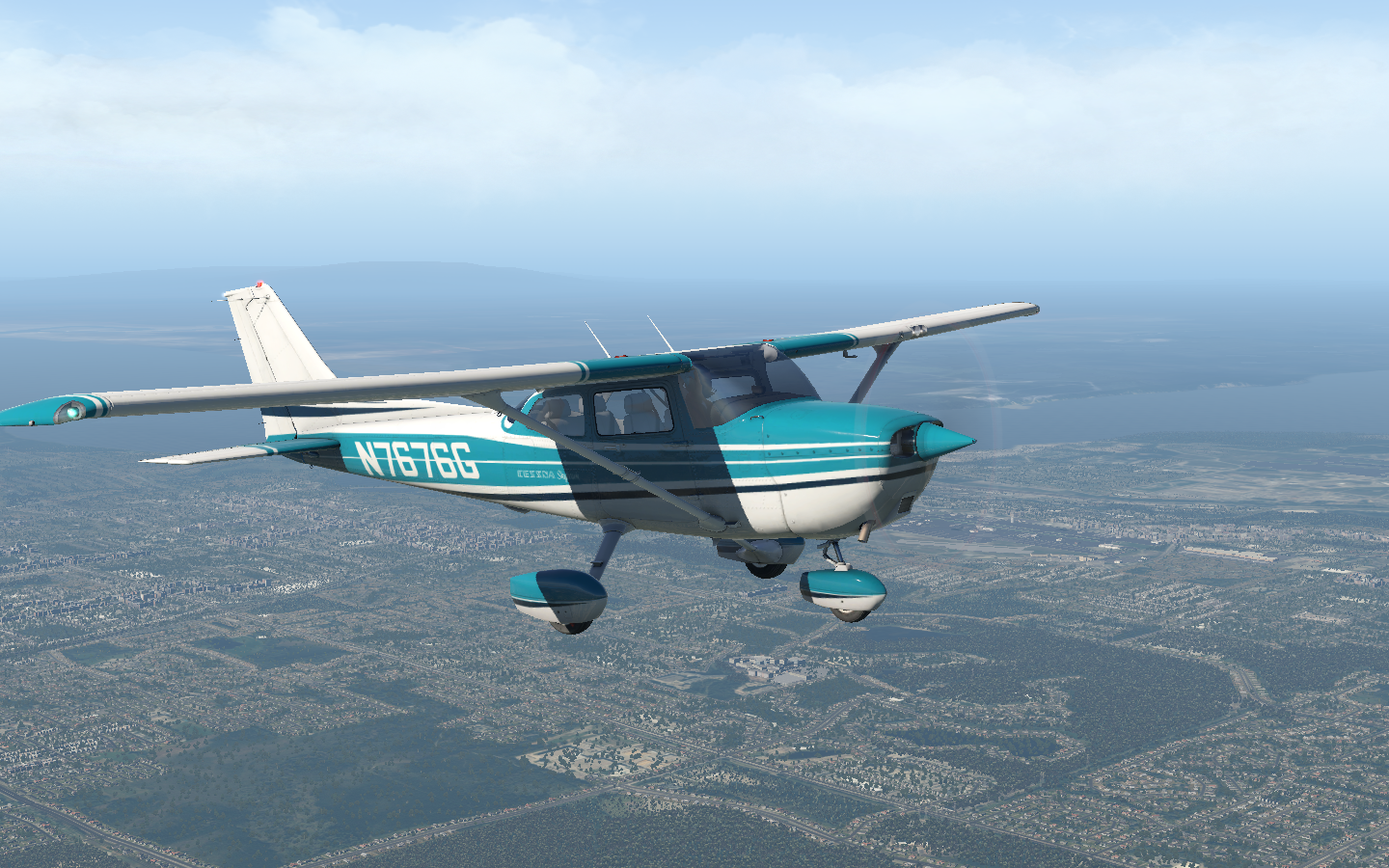

No need to settle for ‘default’ when you could have this design.
You will likely spend plenty of time tinkering in your Custom Scenery folder, but I find less is more. I try to avoid custom airports which have a dozen different library dependencies. It just bogs down your load times. If you’re flying general aviation craft, the smaller airports will probably be of more interest than the giant ones. The free L52 Oceano is excellent, especially when paired with orthophotos, and is also the first airport you’ll visit if you fly on PilotEdge.
External SSDs are fairly cheap. If you’re flying on a laptop, like me, and need storage, a 1 TB USB-C SSD is great or storing all your orthos and scenery files. You can create shortcuts in your Custom Scenery folder to the external files.
Want to fly out of your home town airport, but it’s not in X-Plane? No problem - make it with the free X-Plane World Editor. It’s a lego kit for airports. If you’re gung ho, you can even upload it to the X-Plane Scenery Gateway, where it will be evaluated for inclusion in the X-Plane base library.
Need an external moving map? FlightPlan Go will connect with X-Plane via your wifi network and show your plane’s position on VFR sectionals or on airport plates for ground taxiiing.
Live ATC will change the game for immersion. The simplest way to do it is to open liveatc.net in the background, type in your airport, and listen while flying. The pro way is to get a subscription to PilotEdge, where professional ATC controllers will provide you and everyone else on the network ATC services from ground control through Bravo airspace. Check out my flight to Catalina in PilotEdge for an example:
MisterX6’s Airport Environment HD runways are so much better than the default. Just get them (they’re free!).
I purchased seven payware aircraft, but really only fly two. Both are by JustFight.
Option-R will put X-Plane into playback mode, allowing you to rewind and watch your flight from any camera angles, including the tower view. If you press control-space, it will record to an avi file, but slow down the frame rate so the recorded video is at the perfect FPS. It’s also handy for taking screenshots, since you’re not trying to fly the plane at the same time.
Enjoy your X-Plane adventures. Hope this helped!
When I’m not flying the virtual skies, I’m the sci-fi author of the Hayden’s World series. If you love exploration and adventure, be sure to check it out.